


AI Video Generator: Collart AI
4.2550.00 Reviews
App Specs
- Version
- 3.2.9
- Updated On
- License
- Free
- Downloads
- 5,000,000+
- Developer
- Shotcut Video Workshop
- Categories
- Photography
- Platform
- Android
Screenshots

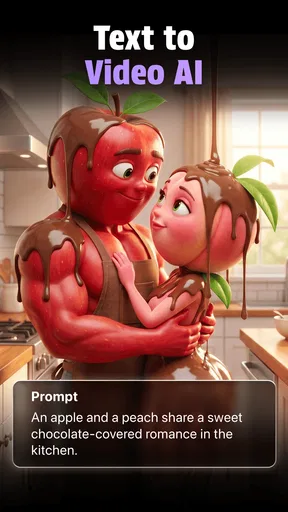
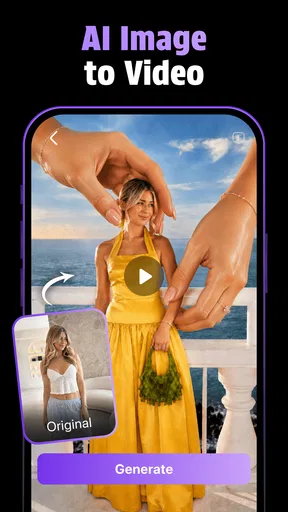
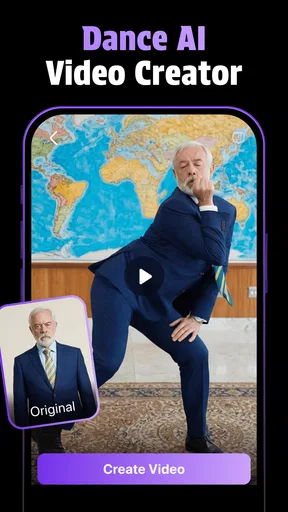
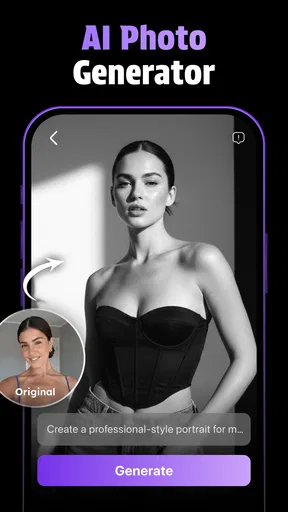
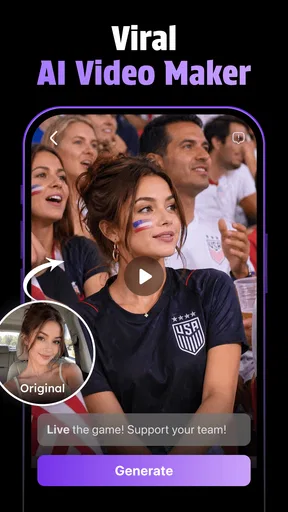
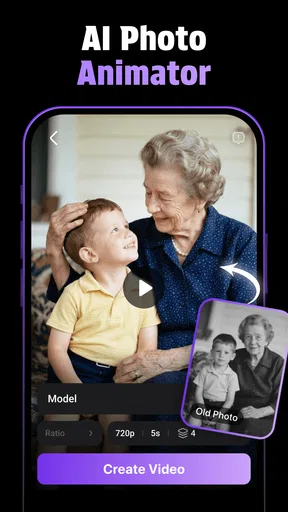
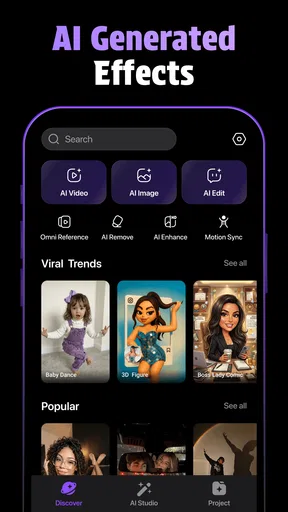
 Analysis by AppCompare
Have you ever wanted to create your own videos but felt overwhelmed by the editing process? Well, you're in luck because AI Video Generator: Collart AI is here to change the game. This app promises to make video creation as easy as pie, even if you've never edited a video before.
Getting Started with Collart AI
From the moment you open Collart AI, you're greeted with a super friendly interface. It’s like chatting with a buddy who’s guiding you through the process. No more fumbling around with confusing tools; everything you need is right there in front of you. The app is available for both Android and iOS, so no one gets left out.
Once you’ve downloaded the app, the setup is straightforward. After a quick sign-up, you’re ready to dive into the world of video creation. The app offers a neat tutorial that walks you through its features, but honestly, it’s so intuitive you might not even need it.
Features That Make a Difference
One of the standout features of Collart AI is its AI-powered editing tools. You can upload your photos and clips, and the AI takes over, stitching them together into a professional-looking video. It’s like magic! The app suggests music, transitions, and even filters that fit the mood of your content.
For those of us who like a bit more control, there are manual editing options too. You can tweak the AI’s suggestions or start from scratch if you’re feeling creative. The drag-and-drop interface is a breeze to use, making the whole process as smooth as butter.
Customization and Creativity
Collart AI doesn’t just stop at basic editing. If you’re looking to add a personal touch, there are tons of customizable templates. Whether you’re making a birthday video for a friend or a promo for your brand, there’s something for everyone. The templates are fresh and modern, giving your videos a polished look.
Text overlays, stickers, and animations add an extra layer of fun. You can even use the app's library of stock images and clips if you’re short on material. The possibilities are endless, and the only limit is your imagination.
Worth Reading Before You Choose

Flipboard Shows What News Apps Must Do Beyond the Feed

Switching to Android Auto Means Rethinking Your Driving Routine

Google Calendar Makes a Crowded Week Easier to Manage

Ludo King Makes the Most of the Minutes Between Plans

Baby Panda World Brings Quick Play to Modern Phones, but Its Game Library Feels Busy

ESPN’s Live Game View Makes Following Close Games Easier
Performance and Usability
In terms of performance, the app runs like a dream. It’s fast, responsive, and doesn’t crash, which is a huge plus in my book. Video rendering is quick, so you won’t be left waiting hours for your masterpiece to be ready.
The app is also lightweight, meaning it won’t hog all your device’s resources. This ensures that it works smoothly across different devices, whether you’re using the latest smartphone or a slightly older model.
Sharing and Connectivity
Once your video is ready, sharing it is a piece of cake. Collart AI makes it easy to upload directly to social media platforms like Instagram, Facebook, and TikTok. It even optimizes your video’s format for each platform, so you don’t have to worry about resizing or quality loss.
If you prefer to keep your creations private, you can save them directly to your device. The app supports various export formats, ensuring compatibility with whatever you need.
Final Thoughts
Overall, AI Video Generator: Collart AI is a fantastic tool for anyone looking to dip their toes into video creation. Whether you’re a total newbie or someone who just wants to speed up the process, this app is definitely worth checking out.
It’s rare to find an app that makes video editing both accessible and enjoyable, but Collart AI does just that. So, why not give it a whirl? You might just discover a hidden passion for video creation.
Pros
- User-friendly interface for quick edits.
- Wide range of templates available.
- High-quality video outputs.
- Fast rendering times for videos.
- Integrates smoothly with social media.
Cons
- Limited free version features.
- Occasional app crashes reported.
- Requires a stable internet connection.
- In-app purchases can be costly.
- Some templates feel repetitive.
FAQs for AI Video Generator: Collart AI
What is AI Video Generator: Collart AI used for?
AI Video Generator: Collart AI is designed to help users create professional-quality videos using artificial intelligence. It offers tools for editing, adding effects, and incorporating music, all within an intuitive interface. This app is ideal for both beginners and seasoned creators looking to enhance their video content quickly and efficiently.
Is AI Video Generator: Collart AI user-friendly for beginners?
Yes, AI Video Generator: Collart AI is designed with a user-friendly interface that caters to beginners. The app provides guided tutorials and an intuitive layout, making it easy for new users to navigate and utilize its features without needing extensive video editing experience.
What are the key features of AI Video Generator: Collart AI?
Some key features of AI Video Generator: Collart AI include automatic video editing powered by AI, a wide range of customizable templates, real-time collaboration tools, and an extensive library of music and effects. These features are designed to simplify the video creation process and enhance the overall quality of the content produced.
Are there any in-app purchases or subscriptions required in AI Video Generator: Collart AI?
While AI Video Generator: Collart AI offers a free version with basic features, there are in-app purchases and subscription options available. These provide access to premium features, additional templates, and a larger library of music and effects. Users can choose the plan that best suits their needs and budget.
What platforms is AI Video Generator: Collart AI available on?
AI Video Generator: Collart AI is available for both Android and iOS platforms. Users can download the app from the Google Play Store or the Apple App Store. It is optimized for smartphones and tablets, ensuring a seamless experience across different devices.


